true77
Every tech company you can think of is jumping on the generative AI bandwagon and touting new features promising to make our lives easier, increase productivity, and unlock some dormant cache of hidden potential within all of us.
But “promise” is the operative word here. Despite all the AI hype and billions of dollars of investment, generative AI is still very new to the average person and has yet to transform from being a fascinating novelty into an indispensable mainstay.
Even as someone who writes about AI for a living, I use generative AI tools somewhat sporadically. That mostly involves testing out and experimenting with new AI models and apps that are available. I might get excited about a certain app or tool only to forget about it and fall back into my normal habits.
Also, I generally don’t trust generative AI. Since truth and accuracy is pretty important to what I do, bringing ChatGPT and other tools into the fold seems not only counterproductive to me, but also potentially disastrous for my employment.
But what if there are ways of using AI tools that don’t replace my livelihood, but empower me to do it better? Isn’t that what Big Tech is promising us anyway? That’s why I decided to give it the old college try and spend some time using AI tools in earnest to test out what’s useful, and more importantly what actually sticks.
The experiment
I spent a little over a week using generative AI tools that fit within my daily life and work schedule. To do this, I made an outline of what my typical week looks like and identified ways where generative AI could help and which tools to use.
Since several AI tools require a subscription, programming knowledge, or aren’t widely available yet, I narrowed it down to services that are free or readily available to the average person. That excludes tools like Slack’s AI add-on, Microsoft’s full access to Copilot, and Zoom’s AI companion which requires a paid subscription.
The experiment isn’t intended to use as many generative AI tools as possible, but to experiment with the popular ones deemed the most useful for my life.
Here’s what I came up with:
-
ChatGPT Plus
-
Google Gemini
-
Google Docs and Gmail “Help me Write” feature
-
The standalone Copilot site
-
Otter’s AI features for transcripts
-
Tasty’s Botatouille app
First, a disclaimer
Being a reporter, using generative AI tools for work comes with unique ethical challenges. That’s why I pledged to use these tools only for brainstorming and writing help, but never to actually write something for me.
Anytime I used generative AI to help with drafting or brainstorming, I did it for the purposes of understanding whether it was actually useful and accurate. So you’ll see examples of me asking for writing-related help but I didn’t actually publish or post any of its responses verbatim.
Also, when using ChatGPT for any unpublished or sensitive information I had my chat history turned off. This was to ensure that what I shared wasn’t used to train the model. I didn’t use Gemini or Copilot in these instances because there’s no way to protect your data from being used, unless you have a paid enterprise account.
With expectations firmly set, let’s begin!
Spinning my tangled to-do list into efficiency gold
Organization and time management are not my strong suit. I seem to be missing that gene that accurately budgets time, plans ahead, and efficiently doles out my time and energy instead of obsessing over mundane details and doing everything at the last minute.
Here’s where I was most excited to lean on AI tools. Every morning, I started my day by brain dumping all the things I needed and wanted to accomplish that day. This included work tasks related to story ideas and assignments and life tasks like walking my dog, doing laundry, and doing yoga.
On the first day, I fed my to-do list with specifications around my work hours, any imminent deadlines, and appointments into ChatGPT, Gemini, and Copilot to see which one gave me the most helpful response. It became immediately clear that ChatGPT was to become my go-to for the rest of the week.
Even though I told Gemini I worked from 9 a.m. to 6 p.m., it had me doing work tasks before 9 a.m. and working up until 9 p.m., without any specifics on when to accomplish certain tasks, only suggesting I should “swap the yoga and writing session in the evening if that works better for you.” That might be how the workday goes in Silicon Valley, but I keep pretty strict work hours to stay sane, especially when working remotely.
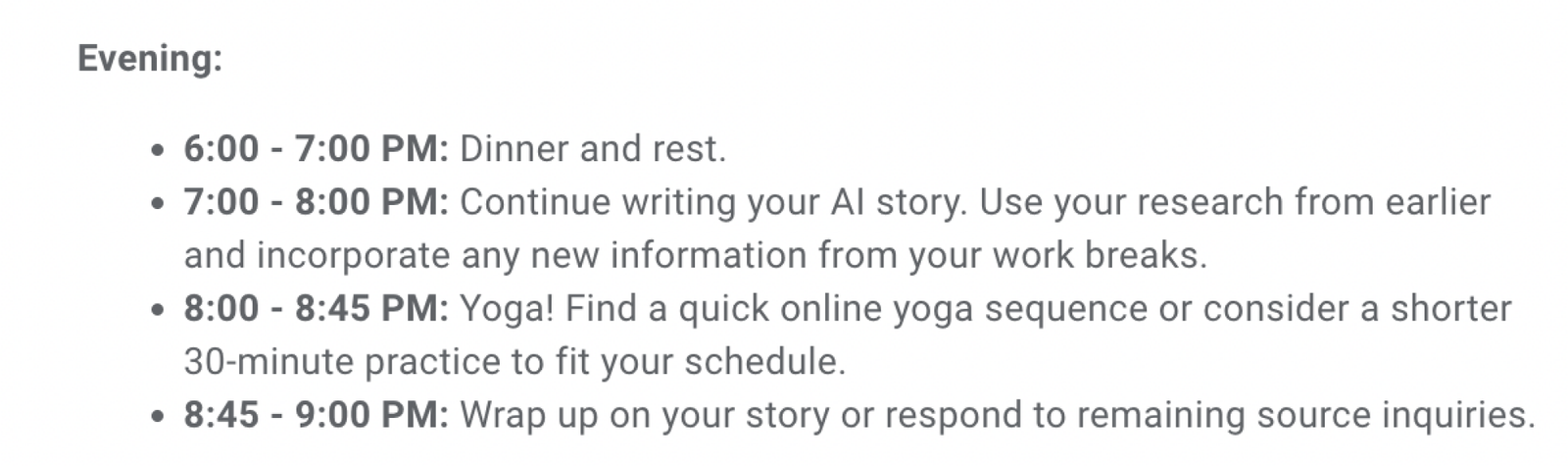
Copilot was more focused on blocking out my time, but it kept encouraging internet browsing by offering links to articles about yoga studios and AI tools. On the other hand, ChatGPT provided a useful schedule based on creative energy, suggesting specific time blocks for different tasks throughout the day.
Using generative AI for summarization skills, I turned to ChatGPT for help with headlines. While it accurately captured the story’s essence, the headlines suggested by ChatGPT were lacking in creativity and sounded robotic. Gemini’s headline ideas were either generic or clickbait-y, making me apprehensive about the future of the internet.
In the next part of my day, I explored Otter’s AI chatbot for transcribing interviews. While the AI-generated takeaways seemed valid, I still felt the need to double-check them as generative AI can sometimes make errors. Despite this, having a list of takeaways as a reference was helpful.
During my lunch break, I tried out Google’s AI tools for Gmail to email customer service about a delayed delivery of Soda Stream canisters. This experience showed me the potential of using AI solutions for customer service tasks.
Efficient Customer Service Experience
These are the kinds of mundane tasks I despise. Every time I remembered to reach out to Soda Stream, something else would come up and it would slip my mind. I also debated whether it would be better to email them or call, which would mean sitting on hold, and then would I have to somehow prove my canisters never arrived? Welcome to my neurotic brain.
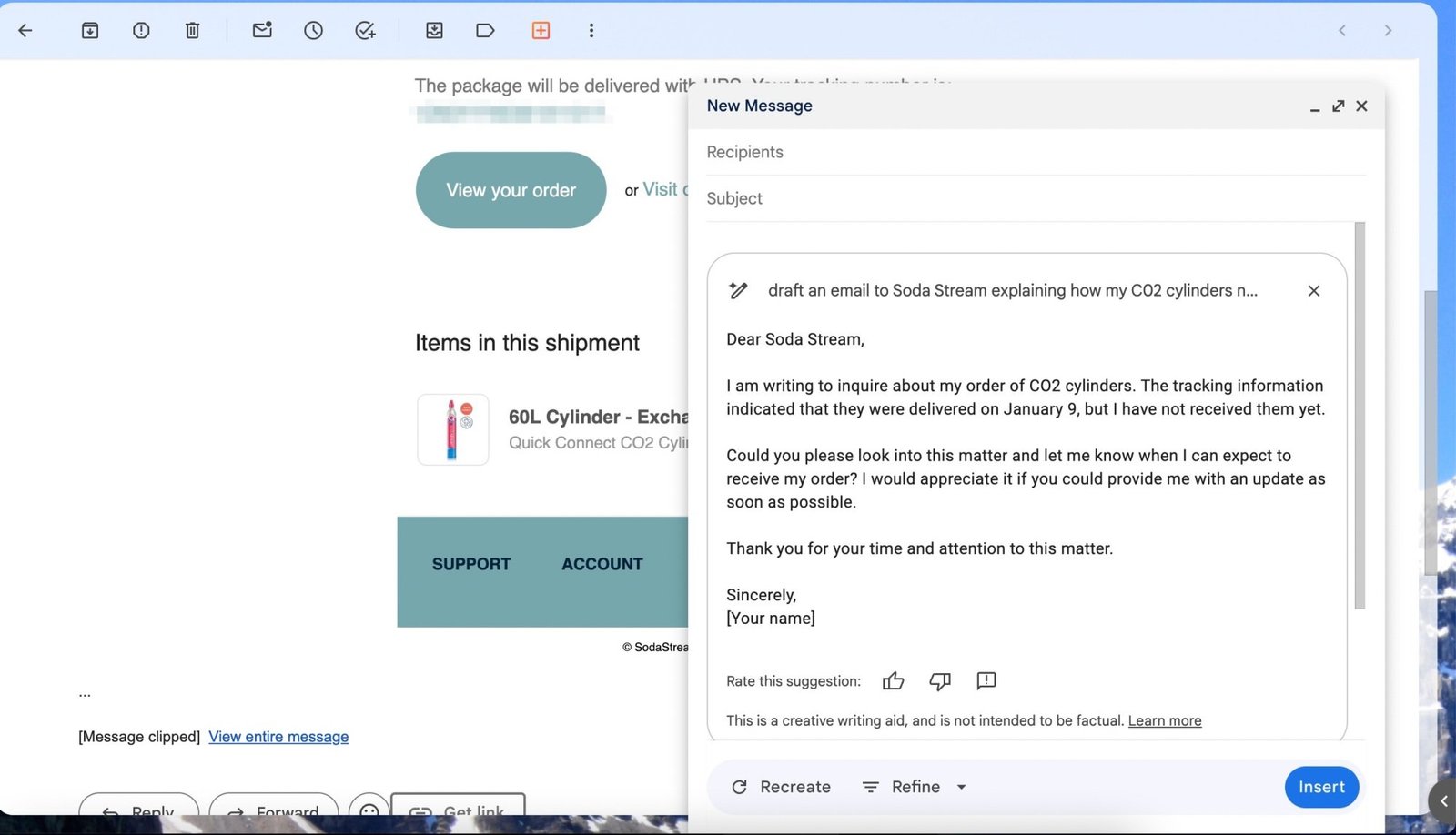
Bolstered by the spirit of my experiment, I turned to Gmail’s “Help me write.” In the chat, I prompted “draft an email to Soda Stream explaining how my CO2 canisters never arrived, even though it said they were delivered on January 9.” The result was a perfectly adequate email, and subject line that explained all the necessary details. All I did was add in the order number, since I didn’t specify that in the original prompt.
By the way, Soda Stream was very responsive and sent me new canisters right away, no questions asked. All in all, it was a pain-free experience, and now I’m back to drinking carbonated water by the gallon.
Botatouille: A Tool for Recipe Ideas
After my workday, I put generative AI tools to the test while cooking dinner. Tasty’s Botatouille app is a chatbot from the popular recipe app that helps you brainstorm meals and find recipes.
At the end of most days when my creativity is tapped, I struggle with making sense of the contents of my fridge, let alone how to cook something. So I started out by asking Botatouille for ideas based on the ingredients I had. In terms of generating meals, Botatouille had some good ideas. One night, I made a soup with kale, white beans, and sausage, and another night, I threw together a stir fry with leftover veggies and chicken.
However, Botatouille was better as a jumping-off point for finding ideas rather than executing the recipe. I often had to follow up to get the recipe, and even then I ended up reworking it based on my own needs and ideas. I tend to improvise or add my own flair to recipes when cooking anyways (which is why I’m a terrible baker).
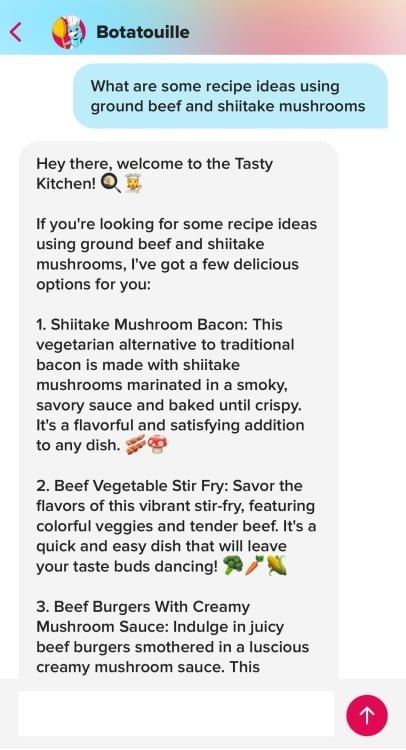
But that was the extent of its usefulness. One major reason is because Botatouille doesn’t save your chat history, so I couldn’t go back and revisit ideas. I was also disappointed when looking for recipes using ground beef and shiitake mushrooms, since it kept giving me ideas for other types of meat, which I did not have in my refrigerator. Maybe if you’re planning on cooking a meal for a dinner party and going out to buy ingredients, it might be more helpful, but for a hungry person who just wants to eat and relax, the best way to use it is as a brainstorming shortcut.