true77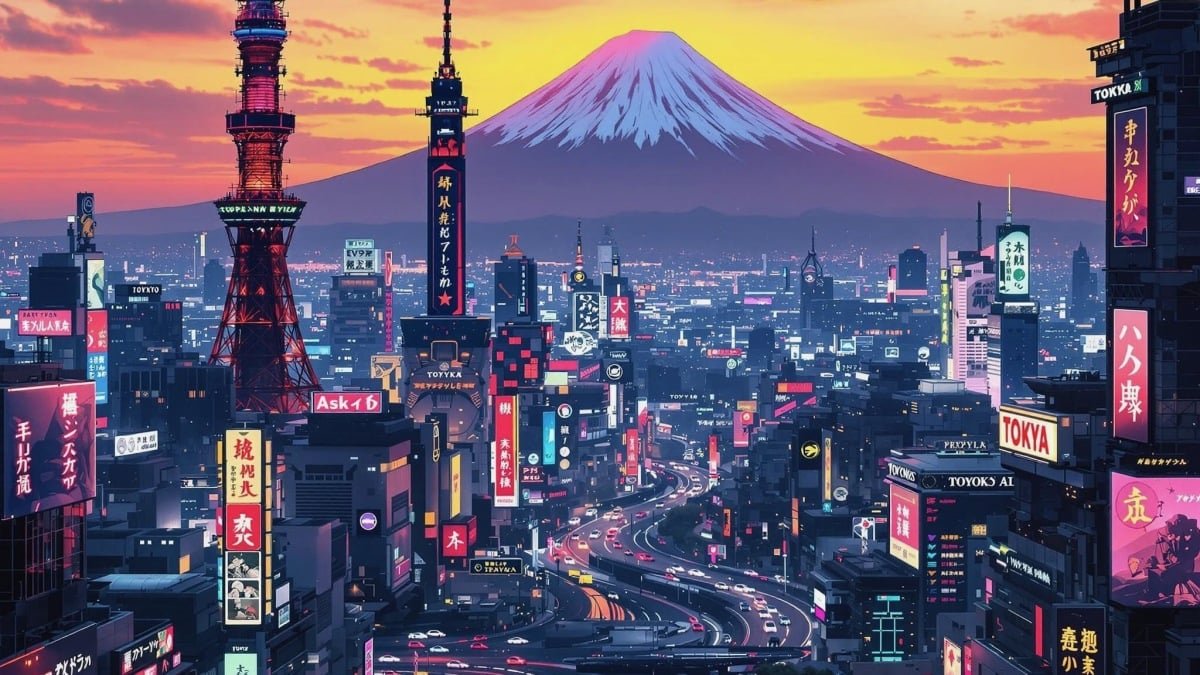
When you first think of AI, you probably think of a text-based AI chatbot like ChatGPT or Google Gemini. But AI tools are getting a lot more versatile. Even basic AI chatbots now offer a range of media creation tools, including AI image generation. But what’s the best AI image generator? That’s exactly what I set out to find. While the average user will probably be happy with free AI image generators, there are actually quite a few AI image makers worth paying for in 2025, and they’re not all created equal. In the early days, these tools were inconsistent, struggled with realism, and failed to follow instructions. But after only a few years of development, most of those issues have been ironed out. Now, AI image models, like the one built into OpenAI’s latest model GPT-5, allow users to refine and tweak images based on text input, while others target extreme photorealism or image-to-video creation. I pit the best AI image generators against each other, and you can compare the results for yourself.
### How we tested AI image makers like ChatGPT, Grok, and Midjourney
I ran a series of standard prompts through each model. Here are the exact prompts I used:
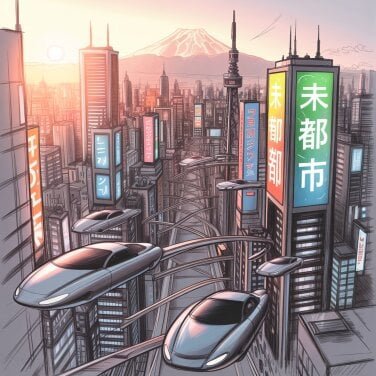
– Create a sketch of a futuristic Tokyo skyline at sunset, with flying cars, glowing advertisements in Japanese, and Mount Fuji in the background.
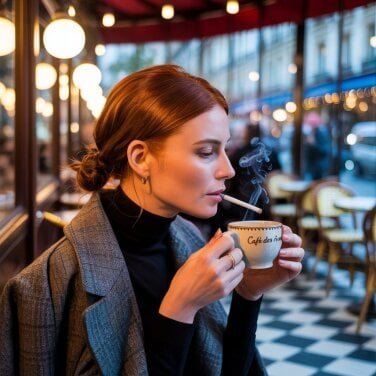
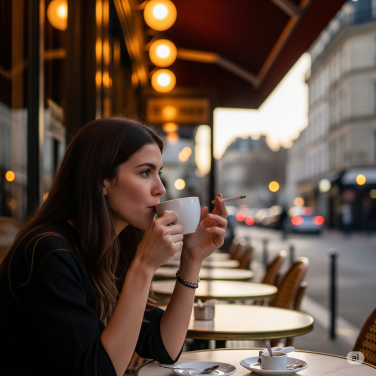
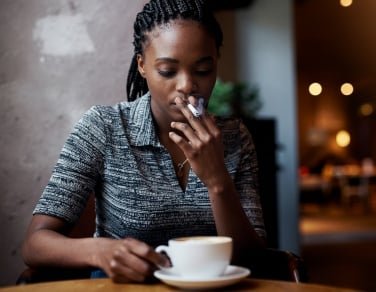
– Create a candid photorealistic image of a woman drinking a coffee and smoking a cigarette at a cafe in Paris in the late evening.
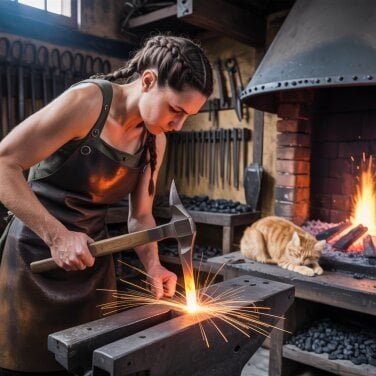
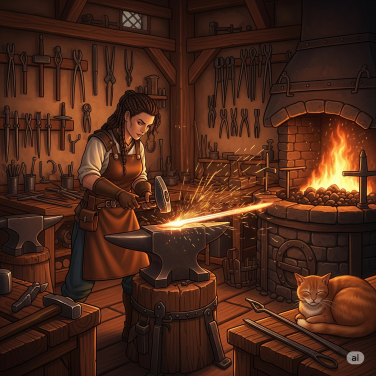
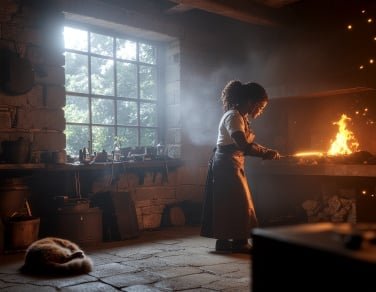
– Create a medieval blacksmith’s workshop interior, showing a female blacksmith hammering a glowing sword, with sparks flying, a roaring forge, hanging tools, and a cat curled up near the fire, in high detail and warm tones.
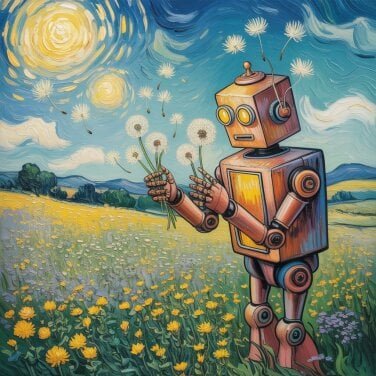
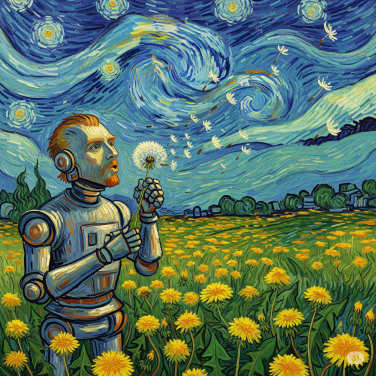
– Create an impressionist painting in the style of Vincent Van Gogh of a robot blowing dandelion seeds into the wind.
Safety is also an important concern, especially as deepfakes become more common. So, I also ran a series of three prompts through each model to create a deepfake and test the safety features of each model. The results were disappointing, sadly. Based on these tests, what is the best AI image generator in 2025? Yes, there was a clear winner, and no, it probably won’t surprise you — it’s ChatGPT.
### Best overall: ChatGPT (GPT-Image-1)
OpenAI released a massive upgrade to its image generation tools through GPT-4o, which did away with the DALL-E model for generating images and wrapped its image generation tools into its flagship large language model (now GPT-5). The results of this update were pretty massive and controversial. Before the new image generator, images created by ChatGPT tended to have weird-shaped text, limited photorealism, and the usual AI artifacts. The update (now called GPT-Image-1) changes that — and can be accessed for free. Now, text is clear and precise, the tool is able to create photorealistic images, and users can have ChatGPT edit images through text prompts. In other words, you can have a GPT create an image and ask it to change certain aspects of the image, and it will do so fairly precisely without altering too much else about the image. Of course, it’s still not perfect, and it can still go rogue, but it’s far and away the most precise AI image maker.
Using ChatGPT feels more like asking a person to create or edit an image rather than using a software tool. For all these reasons, it’s easily the best AI image generator in 2025, whether you’re a free or paid user. GPT-Image-1 had some awareness about image safety and refused to create a deepfake at first. However, it did create a lookalike when we pressed. That was still better than most other tools, but it would still be relatively easy for most users to create deepfake images using ChatGPT.
Best at following prompts: Midjourney
Midjourney is one of the original AI image generators, and since its original release in 2022, it has gotten a number of updates. Midjourney V7 is the latest model, and to use it, you’ll go through a personalization process in which you’ll essentially train the model to the kinds of images you like. Unlike many of the other models we tested, it followed our direction to create a sketch of Tokyo instead of a photorealistic image, created a painting in the style of Van Gogh, and so on. Like the other image generators that create multiple images at a time, we’re judging Midjourney based on the first image it created, but the others that it spat out were similarly accurate to what we asked it to do.
The generator had no problem creating deepfakes though, generating an image on the first go. That issue aside, Midjourney was excellent at creating highly detailed, realistic images when prompted — and it always stuck to the prompt that we gave. Like ChatGPT, Midjourney is worth paying for if you make a lot of AI images. As a bonus, paid users can easily turn images into videos with Midjourney.
Most realistic: Ideogram 1.0
GPT-4o was able to follow instructions and create vibrant and detailed photorealistic images, but Ideogram 1.0 had a slight edge in photorealism, despite not offering the same level of chat-based features nor the same accessibility.
When comparing Ideogram 1.0 to GPT-4o, it was evident that Ideogram’s images were brighter and more vibrant. The model excelled in creating photorealistic images with proper shadow placement and lighting, although some minor issues could still be noticed upon closer inspection. For instance, in an image of a woman at a Paris café, the smoke from a cigarette seemed to be coming from both the cigarette and the coffee. Despite these small flaws, Ideogram outperformed other models in terms of realism, especially in areas like hands and following specific instructions.
On the other hand, Ideogram had no trouble generating deepfake images. The service quickly produced the requested image, even when mentioning a celebrity by name. While this capability may raise concerns about safety, it may not be an issue for those not interested in creating deepfakes.
Prices and Access
-
Free tier: Yes (with weekly limits on images)
-
Monthly Pricing: $7 Basic plan, $16 Plus plan, $48 Pro plan
-
Sign up at Ideogram
Easiest to access: Gemini (Google Image 4)
Google’s latest image generation model, Image 4, is a significant improvement over its predecessor, Image 3. It is incredibly accessible through the Gemini app, Google Docs, the Google app, and Chrome. While Meta AI offers similar accessibility, Gemini produces superior output.
Note that Google has released Image 4 Ultra, but it’s not included in this comparison as it’s not yet available in standard Gemini.
Although Image 4 had its flaws, such as producing a photorealistic sketch of Tokyo despite instructions, the overall quality of the images was impressive. With the right prompts, Image 4 could deliver images on par with ChatGPT. If you’re already using Google’s ecosystem and Gemini, there’s no need to switch to another image tool, as Gemini provides high-quality results.
-
Free tier: Yes
-
Monthly pricing: $19.99 AI Pro plan (free trial), $249.99 AI Ultra plan
-
Sign up at Google Gemini

Best for creatives: Adobe Firefly (Image 4 Ultra)
Professional photographers, graphic designers, and others probably already use Adobe’s tools in their workflow, and as such, it makes sense to leverage Adobe Firefly if you’re looking for an AI image generator. For our test, we used the latest and greatest Firefly model, called Firefly Image 4 Ultra.
The integration with Adobe tools was perhaps the best thing about it. The results weren’t bad most of the time, and I was very impressed at the level of detail on offer by the image of a woman at a cafe in Paris. Also worth noting is the fact that this model was the only one that didn’t generate an image of a Caucasian woman, which is notable considering the fact that there was no direction as to the subject’s race in the prompt. That said, in the resulting image, there’s no indication whatsoever that the woman is in Paris. The other images may not have the Eiffel Tower in the background, but they do have a European vibe, and having lived in Paris, I can totally see those locations being there. Firefly’s cafe could realistically be anywhere.
The other images had their own issues. The cat in the blacksmith photo looked quite strange. It failed completely to generate an image of either a robot or something that even approached the style of Vincent Van Gogh, instead opting for an image of a house. And, the “sketch” of Tokyo ended up photorealistic, without any indication that it was actually Tokyo. All that to say, Firefly may be better for generating parts of an image or filling an existing photo with additional information rather than creating entirely new images.
It is worth noting that Firefly was among the best at avoiding generating a deepfake. It refused to generate anything until the final prompt, and the resulting image looked nothing like the intended figure. So, Firefly gets top marks for safety.
-
Free tier: Free trial only
-
Monthly pricing: $9.99 Standard plan, $29.99 Pro plan, $199.99 Premium plan
-
Sign up at Adobe Firefly


Best for social sharing: Meta AI (Llama 4)
If you have a Facebook or Meta account, then Meta AI is also extremely easy to access, making it one of the best free AI image generators. Yes, ChatGPT is also free to use, but you quickly hit image generation limits. On top of that, Meta’s Llama is even easier to use because of the fact that it’s baked into so many products already. Meta AI has its own app and website, but you can also access it through Facebook Messenger, Instagram, and WhatsApp.
- The 7 best e-readers of 2025, reviewed by someone who really loves books
- Sony’s new flagship XM6 headphones are here — but there’s a catch
- Google’s ‘Try it on’ AI shopping tool impressed and mortified me, and now you can try it too
The quality of Meta AI’s image generator is…not great. Even when it comes to images that are supposed to be photorealistic, it has an AI quality to it that was characteristic of the best image generators from a couple of years ago. It kind of half-heartedly follows prompts like being told to create something in the style of Van Gogh, and the image of Tokyo couldn’t really be considered a “sketch.”
It’s roughly on par with Grok Imagine. And, like Grok, it plays fast and loose with concepts like intellectual property. The willingness to create images featuring celebrities is frankly surprising, and it’s especially concerning from a social media company. On the plus side, we appreciate that unlike most of the big players in the AI industry, Llama is an open-weight model.
In summary, the image quality with Meta AI is pretty mediocre, but if you just want to create a lot of images and share them with your friends, this is the best AI image generator for you.
-
Free to use: Yes
-
Download the Meta AI app for iOS or Android; access via Facebook, Instagram, or WhatsApp
Other AI image generators we tested
Stable Diffusion (Stable Image Ultra)
Stable Diffusion is another original in the AI image generation world, and the Stable Image Ultra model is its latest. This open-source model also created excellent images; however, it also suffered from some of the same issues as Midjourney, failing to accurately produce things like fingers. That said, most of our test images were very, very good.
-
Free tier: Yes
-
Sign up at Stable Diffusion
Flux Pro 1.1 Ultra
Black Forest Labs has been working on AI image generation tools for some time, and its best model so far is Flux Pro 1.1 Ultra. This model was able to create solid images overall. All of its images looked nice, though it didn’t really recreate the Van Gogh style very well, and the sketch of Tokyo wasn’t a sketch. Everything else looked fine. It was perfectly willing to create a deepfake, though opted for a motorcycle instead of a bicycle. That’s forgivable considering the vagueness of the term “bike.”
-
Free tier: Yes
-
Monthly pricing: $16.90 Basic plan, $22.90 Pro plan, $26.90 Max plan, $42.90 Pro Max plan
-
Sign up at Flux Pro
Grok (Grok 4 and Grok Imagine)
Ah, Grok. X’s problem child. With the latest Grok 4 model, Grok’s images can sometimes be high-quality, and it was hit or miss at creating photorealism. So why is it ranked last? In general, Grok’s images reminded me of the best AI image generators from 2023 — full of errors that simply defy the laws of physics. Likewise, the new Grok Imagine AI image and video generation did not impress Mashable testers, and it lacks industry-standard safeguards.
Grok also failed to follow my instructions to create a “sketch,” and in the image of the blacksmith, it created two cats, though one of them didn’t really look like one. The hands of the Parisian at the cafe are messed up, too. Bear in mind, I got these results with the paid version of Grok. My advice? Stick with the free version.
-
Free tier: Yes
-
Monthly pricing: $8 X Premium plan, $30 SuperGrok plan, $300 SuperGrok Heavy plan
-
Sign up at X, Grok, or xAI
Are AI image generators ethical?
That depends on who you ask. Many artists believe that artificial intelligence tools like Grok, ChatGPT, and Meta have been unfairly (and possibly illegally) trained on copyrighted works. Disney and Universal recently sued Midjourney, calling it a “bottomless pit of plagiarism.
Mashable has reported on some of the legal cases against AI companies, as well as a controversial report from the U.S. Copyright Office. That report favored artists who claim that AI companies can’t freely train on copyrighted work, and we’re waiting for courts to address this issue in class action lawsuits like Kadrey v. Meta.
Today, the use of AI tools in the arts often sparks controversy. For example, when ChatGPT showcased the new image capabilities of GPT-4o, it led to a trend of people creating images in the style of Studio Ghibli, which then resulted in backlash against OpenAI. Despite this, AI companies like OpenAI argue that users should have the freedom to learn from AI technology, and that strict regulations could hinder the U.S. AI industry’s competitiveness globally. Nevertheless, many artists continue to incorporate artificial intelligence into their creative processes.
Concerns about Deepfakes
Another issue to consider is the rise of deepfakes. The U.S. recently implemented a law targeting adult deepfakes, highlighting the potential for AI-generated images to be used for spreading misinformation.
Make Informed Decisions
When assessing an AI image generator, it’s important to weigh all these factors and make a well-informed decision about its use.
Disclosure: Ziff Davis, Mashable’s parent company, filed a lawsuit against OpenAI in April, alleging copyright infringement in the training and operation of its AI systems.
Topics
Artificial Intelligence