true77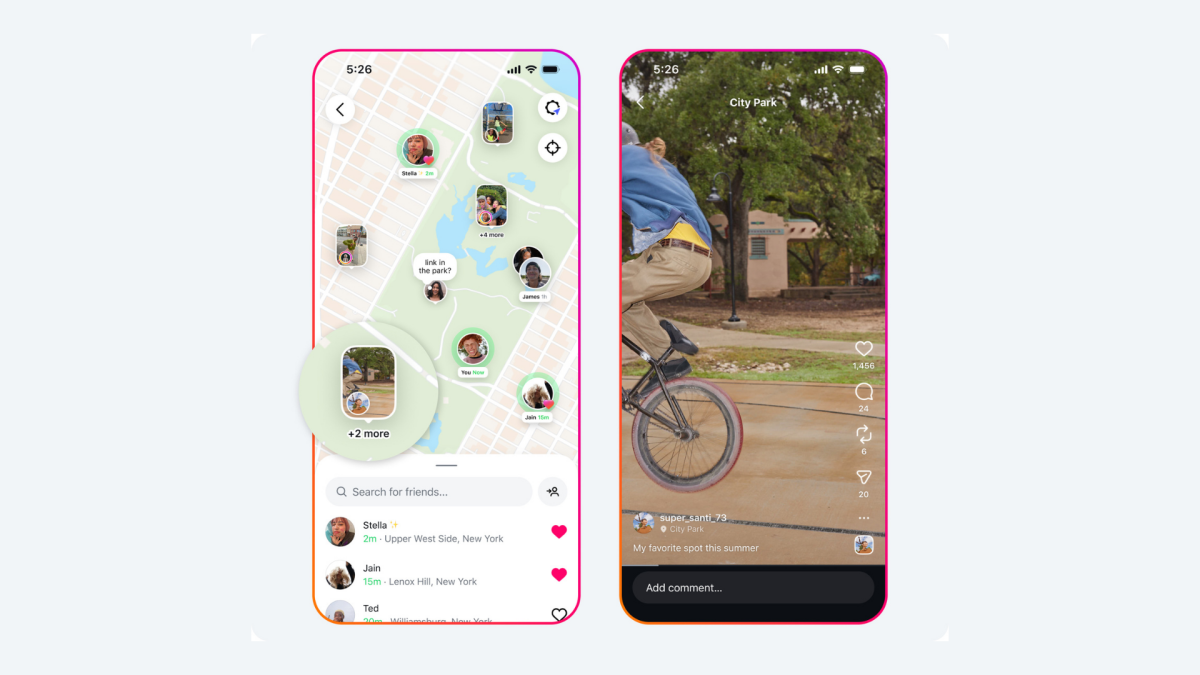
Instagram’s new Map feature allows you to share your location with friends in real-time, but it has raised concerns about privacy and safety.
How does location sharing work on Instagram?
Instagram introduced location sharing in Nov. 2024, specifically for DMs. According to Meta, location sharing is off by default on Instagram unless you turn it on yourself.
How does location sharing work with Instagram Maps?
There has been confusion about how Maps works with the rollout. Instagram head Adam Mosseri clarified that most of what’s happening is people tagging stories and posts with location, not sharing their live location.
Easy steps to share your location on Instagram
Step 3:
Tap the Map feature at the top of your inbox.
Step 4:
Tap the cog icon in the top right to open Settings.
Step 5:
Choose your location sharing preferences.
Customize your location sharing
Here, you can customize who you want to share your location with, whether friends or followers you follow back, Close Friends, selected friends, or no one. You can only share your location with accounts that you follow, and you can also single out specific people not to share your location with.
Step 6:
Tap “Update.”
As for teens on Instagram, Meta says parents can decide whether their child has access to location sharing and can see who they’re sharing it with. Parents will also get a notification if their teen starts sharing their location. “If you’re a parent with supervision set up for your teen, you have control over their location sharing experience on the map,” the company wrote.