true77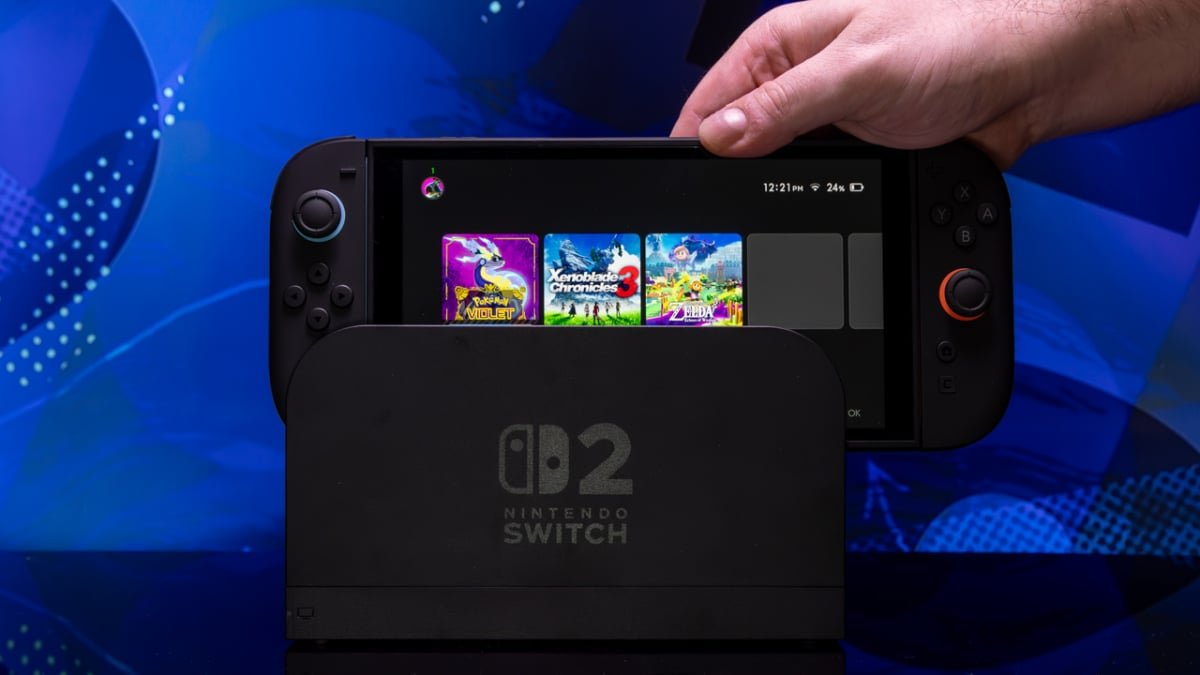
For most of my life, a common refrain about Nintendo has been that the company just doesn’t really get the internet. It’s been hard to argue against that, really; even on Nintendo Switch 2, you have to exchange arcane friend codes with people to add them to your friends list. When Nintendo announced that it was going all in on communal voice chat and other social features back in April, it was both easy and perfectly reasonable to scoff at it. GameChat, the catch-all term for the Switch 2’s voice chat service, just looked like something that the other consoles have been able to do for nearly 20 years. Besides a couple of superfluous features tacked onto it (and a concerning reliance on open microphones rather than headsets), I was prepared to be underwhelmed.
GameChat on Switch 2 is way better than it has any right to be
First, a quick refresh: GameChat is an app that Switch 2 users can activate at any time using the new “C” button on whatever Switch 2 controller they happen to be using. Up to 12 people can participate in a voice chat room, while up to four people at a time can stream footage of their gameplay to everyone else or participate in video calls using a USB camera. By default, Nintendo expects people to use the microphone on the Switch console itself and listen to their friends via their TV speakers, but headsets are also supported.
The noise suppression is great
I tried GameChat out for close to two hours with a friend of mine on the Switch 2’s launch day. We bounced between a few different games, namely Mario Kart World, Fast Fusion, and Soul Calibur II for GameCube. In almost every instance, it not only worked as intended, but it actually offered a unique, Nintendo-flavored take on party chat. My biggest concern going into all of this was that the intended chat mechanism of shouting into a microphone that could be several feet away from you depending on your entertainment setup simply wouldn’t work. The audio quality would be rough, unwanted outside noises would bleed in, and so on. I’m very pleased to report that this isn’t the case. While the mic on the Switch 2 isn’t the best in the world, it’s more than usable for video game voice chat. But perhaps most impressively, absolutely zero outside noise bled into the feed whatsoever. On the other end, my friend was outputting audio of both my voice and the games through their TV speakers. I never heard a second of it. On my end, a not-particularly-quiet window air conditioner unit was blasting cool air into my room about six feet away from the Switch 2. My friend claims they never heard it over more than an hour of gameplay. Whatever noise suppression tech Nintendo packed into the Switch 2 must be top-of-the-line stuff, man. I should also reiterate that you can simply plug a headset into the Pro Controller’s headphone jack and chat that way, too. Weirdly, the third-party wired headset I use wouldn’t let me input audio through its microphone, but audio would output to the headphones just fine. The Switch 2’s onboard mic was luckily there to pick up my voice, and my friend said it sounded fine anyway. I’m going to chalk that up to my particular headset being wonky. Funnily enough, the official wireless PS5 Pulse Elite headset is natively recognized by the Switch 2 and works flawlessly, mic and all.
Speech-to-text is a revelation
GameChat is partially defined by the fact that, by default, it reduces your game’s share of the screen in order to put a horizontal row of little windows representing each voice chatter along the bottom of the display. Folks can stream their gameplay to other users through these little windows, and that admittedly looks very choppy. It’s actually pretty nice for quickly glancing to see what your friend is up to in Mario Kart, but you wouldn’t want to stare at one of those streaming feeds for too long. However, a less publicized feature that also optionally takes up screen space deserves more shine: the Switch 2’s live speech-to-text transcription. This accessibility-minded feature is, I kid you not, maybe the most impressive thing I’ve seen on Switch 2 so far. The text window sits on the right side of the screen in a way that’s shockingly unintrusive. We had it on for more than an hour and, in that time, the only mistakes it made in transcribing our speech were minimal. It’s fast and incredibly accurate for what it is, and it labels individual speakers in the text window. Most unexpected is the fact that it doesn’t censor curse words at all. They’re written out in all their glory, ensuring those with hearing problems aren’t treated like children. Amusingly, whatever dictionary Nintendo fed to this feature includes a ton of properly capitalized brand names, even for those from competing game companies. It properly capitalized “The Last of Us,” for example. “Sega Dreamcast” was in there, too. We may or may not have spent like an hour just shouting out proper nouns in the hopes that the Switch 2 would recognize them, which it mostly did. Sidenote: I’m sorry I can’t provide visual proof of all of this. GameChat doesn’t allow you to take screenshots.
GameShare: A Magical Feature
GameShare is a new feature that allows users to share a game they own with someone else temporarily, enabling them to play together. I tested it with Fast Fusion and the results were impressive. The process was seamless, with my friend joining my game within seconds, experiencing high frame rates and responsive gameplay.
Challenges Faced with GameChat
While GameChat offers built-in gameplay streaming and impressive features, there were minor connectivity issues, especially during the initial launch. One major problem occurred when switching between games, causing my Switch 2 to freeze momentarily. However, restarting the console resolved the issue, showcasing the potential of GameChat despite its flaws.
Where to Purchase the Switch 2
If you’re looking to buy the Switch 2, check out the product listings at retailers like Nintendo, Walmart, GameStop, Best Buy, Costco, and Target. Keep an eye on Mashable’s inventory tracker for live updates on availability.